Halloween looks
Skeleton Glam, without losing your face
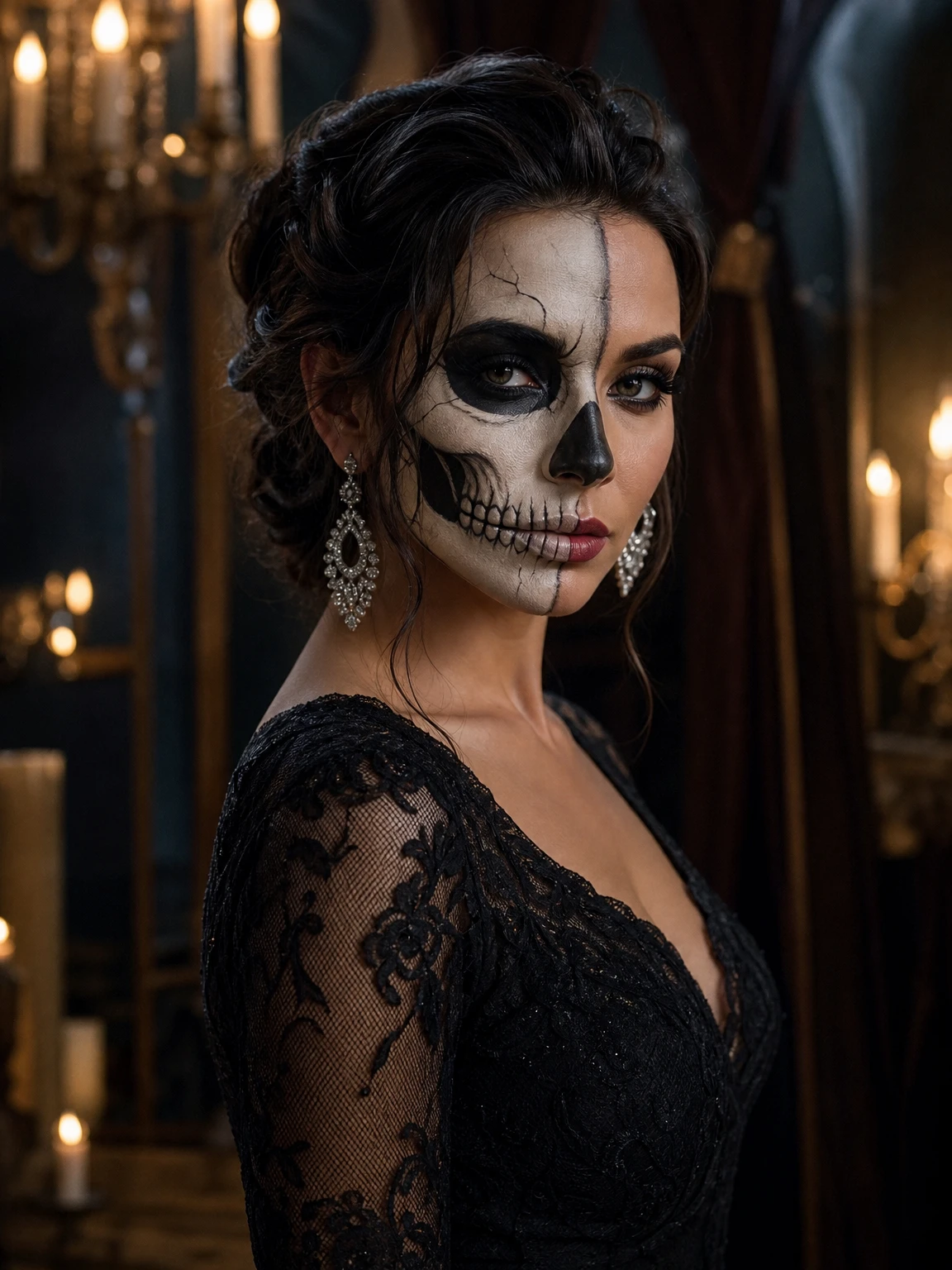
Skeleton makeup usually wins at the cost of the face. This version keeps the eyes, brows and expression readable while the ivory and charcoal treatment covers the face, so the portrait still looks like a person rather than a mask.
- Keeps your face
- 2 credits per still
- 12s video available
- New accounts: 10 free credits = 5 stills
Beauty first, costume second
The makeup is drawn as a beauty look: clean lines, readable eyes and brows, silver earrings and a black lace dress. The candlelit ballroom gives the skin warmth and the lace a reason to catch the light. It is closer to an editorial beauty shot than a haunted-house prop.
The source photo
A front-facing portrait with even light is ideal. The model needs both eyes and the mouth clearly visible to place the makeup symmetrically. If your photo is a three-quarter turn, the makeup follows the angle; that can look great, but it is less predictable.
Animating the makeup
The walk version keeps the skeleton makeup, lace dress and earrings, then moves the character through the reference shot. Makeup this detailed can shift between frames, so a slower, closer walk reads better than a fast one. The output is still a 12-second clip.
Cost
A still is 2 credits; a 480p walk is 10; a 1080p walk is 30. Ten welcome credits cover five stills or one 480p video. Failed renders return their credits, and nothing is watermarked.
Keep exploring
The same photo workflow, pointed somewhere else.
Questions before you make it
Will the makeup hide my expression?
No. The eyes, brows and expression stay readable even with the full ivory-and-charcoal skeleton treatment.
Can I use a smiling photo?
Yes. The expression is preserved. A neutral or subtle smile usually reads best for an editorial beauty look.
Is this suitable for a profile photo?
Yes. The square crop of the portrait works as a profile image, and the full 3:4 version works as a post.
Can I make a video?
Yes. The 12-second walk is available for this look. Detailed makeup may shift slightly between frames; treat each render as a take.