A Fergie Baby AI guide
AI Pet Costume Photos: What Works and What Does Not
 Fergie Baby AI Team
How to make a believable AI pet costume photo: the right source photo, the details that must stay, and why pet walk videos are not supported yet.
Try it here
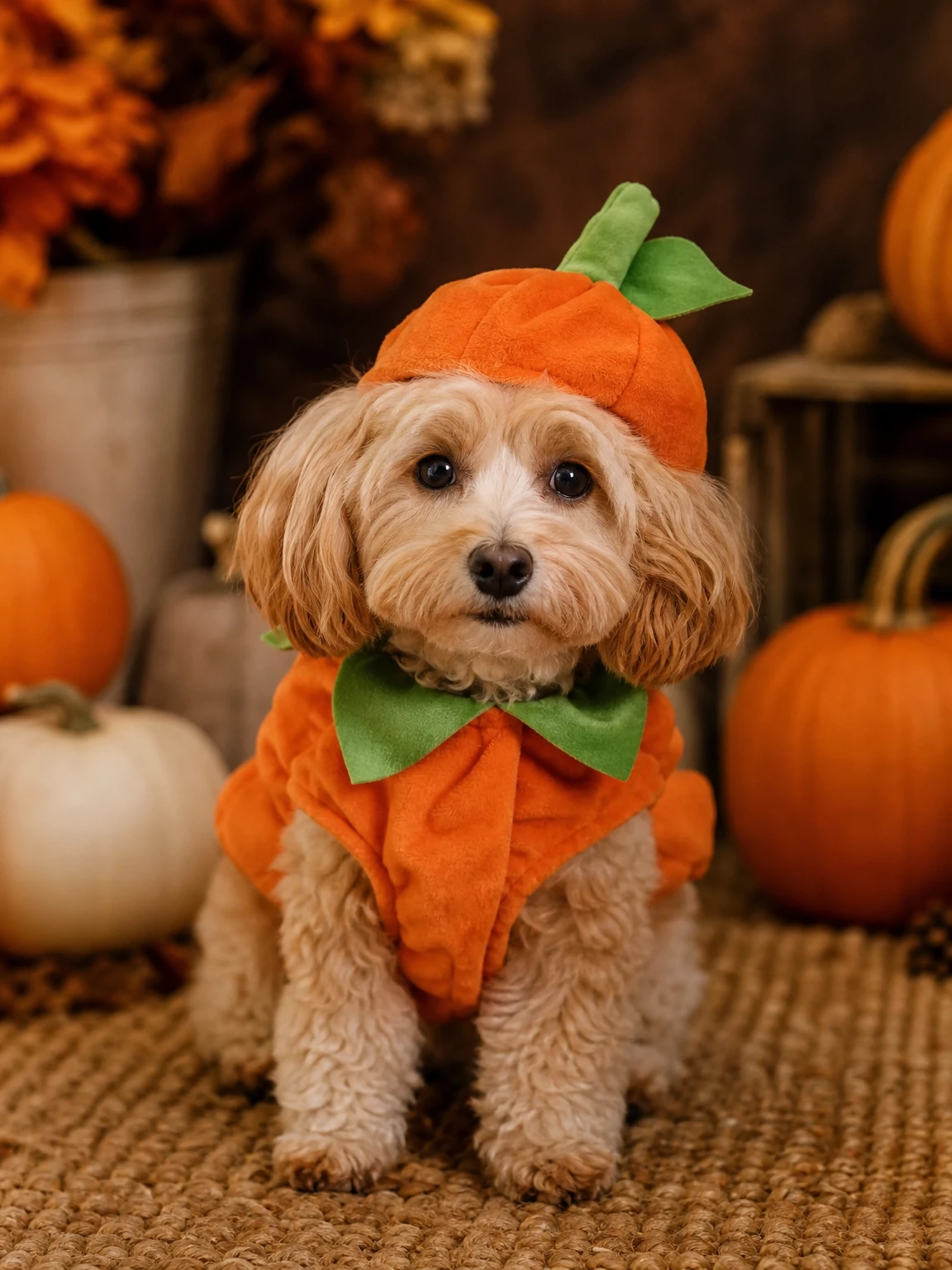
Pumpkin Pet, from your own photo
The look this guide describes is the generator below. Make a still first, then decide whether you want the video.
Pet costume photos have a higher failure rate than human portraits, and it is not because the models are worse at animals. It is because the photo is usually worse. We photograph pets from above, in motion, in bad light, with half the animal behind a sofa. Then we ask an editor to put a pumpkin costume on the visible third.
This guide is about getting a pet portrait that looks like your pet, not a generic dog in a costume. It also explains why the pet look is image-only, and why that is the honest choice.
What the model needs to see
A pet portrait works when the model can read five things:
- Species and breed cues. Ear shape, muzzle length, tail, body proportions.
- Fur colour and markings. A patch over one eye, a white chest, a dark tail tip.
- Eye colour and placement. The eyes are the fastest way a viewer recognizes the animal.
- Natural anatomy. Four legs, a believable stance, paws on the floor.
- A clear silhouette. The animal should not be a blob under a blanket.
If the photo hides any of these, the model has to invent them. Inventions are where the "that is not my pet" feeling comes from.
The photo that works
The best source is boring: one pet, standing or sitting, face toward the camera, natural light, no motion blur. A phone photo at the pet's eye level is better than a professional photo taken from standing height, because the eye-level angle preserves the face proportions.
Avoid:
- A pet curled up under a blanket.
- A wide room shot where the pet is a small part of the frame.
- A photo where the face is turned away.
- A photo with a second pet or a person hugging the pet.
- Heavy filters that flatten the fur.
You do not need a studio. A clean wall or a sofa is fine; the background is replaced. What you cannot replace is a face that is not in the photo.
The costume: fabric, not shell
The Pumpkin Pet preset uses a soft pumpkin costume with a small green leaf. The word "soft" matters. A rigid pumpkin shell would change the animal's silhouette and make the result look like a prop with legs. A fabric costume sits on the existing body.
The prompt also says the costume must not cover the eyes or change the species. Those two constraints are doing a lot of work. Without them, a model may turn the pet into a cartoon pumpkin creature, which is fun but not a costume photo.
The prompt
Use the uploaded pet photo as the primary reference. Preserve the animal's
original breed, fur colour, distinctive markings, eye colour, facial appearance
and natural anatomy. Dress the pet in a soft pumpkin-inspired Halloween costume
with a small green leaf accessory. Keep the costume fitted naturally without
covering the animal's eyes or changing its species. Place the pet in a cozy
autumn photography studio with warm lighting and miniature pumpkins.
Photorealistic professional pet portrait with realistic fur texture.
Avoid extra animals, unnatural paws, duplicated limbs, text and watermarks.
If you use another editor, keep the preservation list and the avoid list. Change the costume description if you want a different look, but keep "do not change the species" and "do not cover the eyes".
Why there is no pet walk video
The 12-second walk engine is built around a single adult human walking toward the camera. It uses a reference clip of a human gait, a human body and a human camera distance. A pet walk would need a different reference, a different motion model and a different consistency check. Reusing the human engine would produce a four-legged body with human timing, which is exactly the kind of uncanny result you do not want to post.
So the pet look is image-only. That is not a limitation we are hiding; it is the reason the page can be honest about what you get. A still pet portrait is also the format most pet costume posts actually use.
Common failures and fixes
The breed changed. The photo did not show enough breed cues, or the costume description was too dominant. Use a clearer side or front view of the face.
The eyes are covered. The source photo had the head tilted down, or the costume prompt was too loose. Choose a photo with the eyes visible and keep the "do not cover the eyes" line.
There are two pets. The source had a second animal, or the prompt did not say "one animal". Use a solo photo.
The paws look wrong. AI image models still struggle with paws. A standing photo with all four paws visible gives the model a better reference than a seated photo with paws tucked under.
The fur looks painted. Add "realistic fur texture, natural shadows" and avoid heavy stylisation words.
Cost and delivery
A pet portrait is 2 credits and arrives without a watermark. New accounts get 10 credits, enough for five attempts. A failed render returns its credits.
The image is yours to post. The pet photo must be yours or taken with the owner's permission. Do not use a photo of a stranger's pet or a celebrity's pet and imply an endorsement.
A short checklist
- One pet, face visible, eyes clear.
- Fur pattern and markings visible.
- Standing or sitting naturally.
- No second animal, no person in the frame.
- Costume described as fabric, not a shell.
- Keep the species, eyes and anatomy constraints.
Try the Pumpkin Pet look with a photo that meets those rules. If you want the exact prompt, the Halloween AI prompts page has it alongside seven other directions.