A Fergie Baby AI guide
Halloween AI Video Prompts That Keep Your Face
 Fergie Baby AI Team
A practical set of Halloween AI video prompts for a 12-second costume walk, with the identity, costume and motion constraints that matter.
Try it here
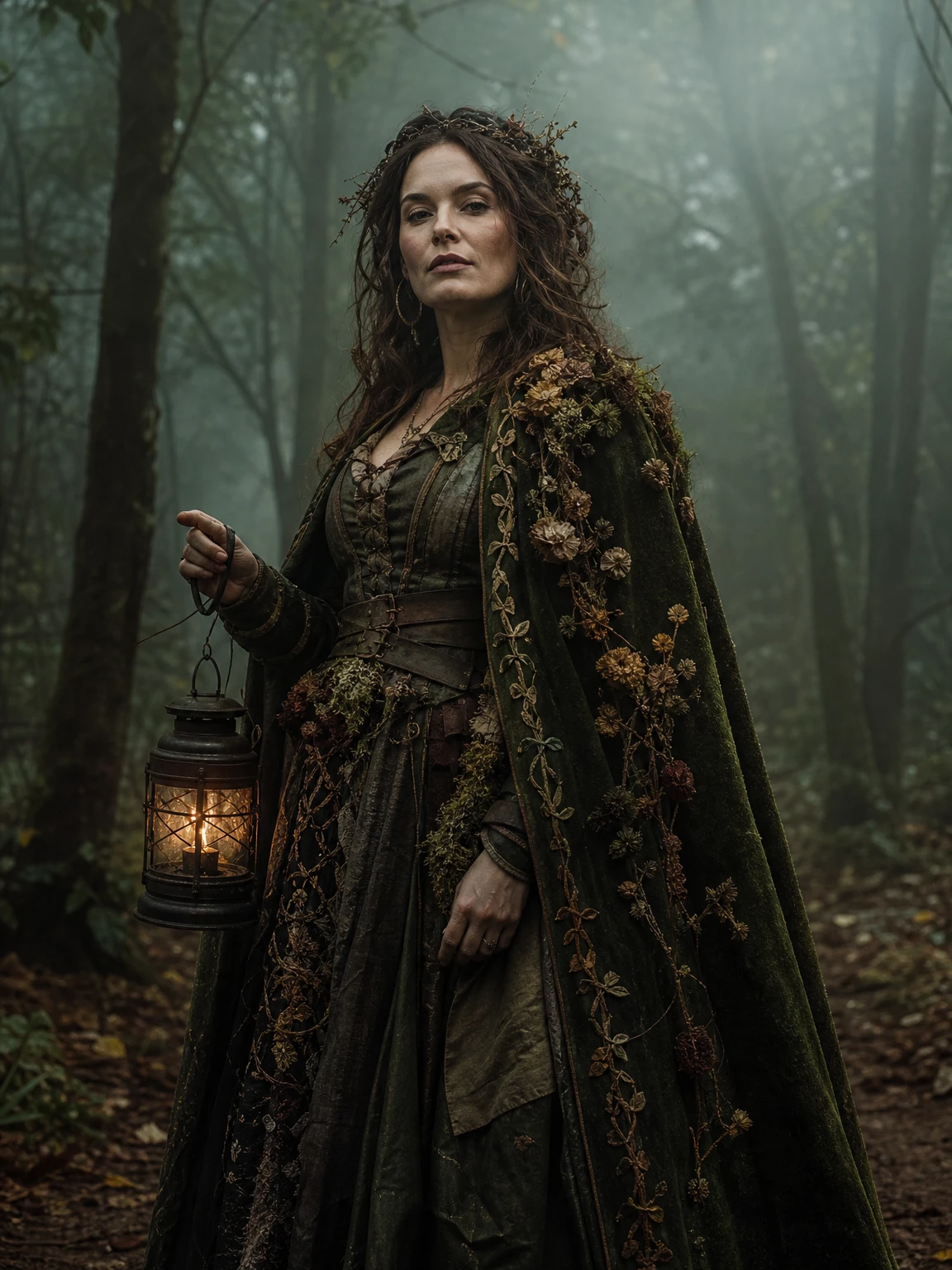
Forest Witch, from one clear photo
The look this guide describes is the generator below. Make a still first, then decide whether you want the video.
Most Halloween AI video prompts fail for a boring reason: they describe a scene, not a shot. "A witch walking through a haunted forest" gives the model a mood, but it does not tell it who is walking, what the camera does, how long the clip is, or which parts of the person must not change. The result is often beautiful and completely unusable as a portrait.
This guide is about the other kind of prompt: one built for a short costume walk where the face, the costume and the camera all have a job.
Start with the format, not the fantasy
The format we use is deliberately narrow. It is 12 seconds, 9:16 vertical, one continuous shot, one person walking toward the camera. A reference clip supplies the location, the camera move and the timing. The model supplies the person from your photo.
That narrowness is a feature. When the camera and the duration are fixed, the prompt can spend its words on the things that actually vary: the face, the costume, the hair, the light and the small motion in the fabric.
If you want a fight scene, a spaceship or a second character, this is the wrong format. If you want the walk with a costume, the format is already solved for you.
The four layers of a usable prompt
1. The shot
Say what the camera does. "One continuous take, camera moving backward at walking pace, subject walking toward the lens" is a shot. "Cinematic walk" is a wish.
2. The person
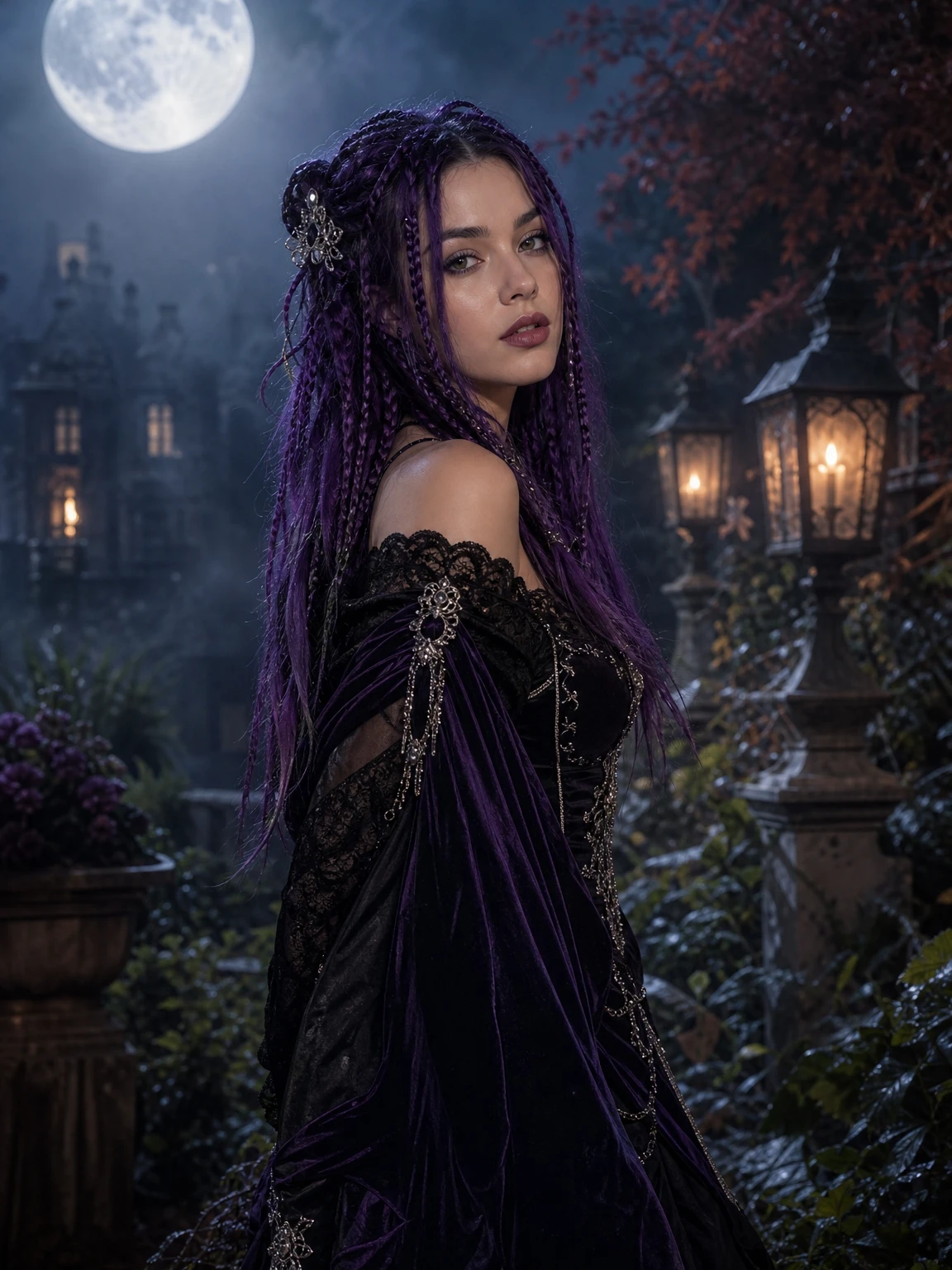
Say what must stay. Face shape, eyes, nose, mouth, skin tone, age, body proportions. If the look changes the hair, say that explicitly: "the hairstyle changes to long violet braids, but the face and identity stay exactly as in the reference photo."
3. The costume
Describe materials, not just colours. "Black velvet with lace and metallic trim" gives the model something to render. "Gothic outfit" does not. If the costume has a strong silhouette, name it: a cloak, a full gown, a hood, a crown.
4. The avoid list
Name the failure modes: altered identity, extra people, extra limbs, duplicated fingers, text, logos, watermarks, sudden cuts. The avoid list is not negative thinking; it is how you keep a 12-second clip from drifting into a different person halfway through.
A base prompt you can adapt
Recreate the reference video shot for shot: the same location, the same
continuous single take, the same camera distance and backward-dolly movement,
the same timing and the same body moves at the same seconds.

The only change: the person walking is the person in the uploaded photo.
Use the exact face in every frame — face shape, eyes, eyebrows, nose, mouth,
skin tone, age and facial structure. The look may change the hairstyle and
outfit; it may not change the identity.

The walker wears a moss-green velvet cloak with dried flowers, a leather
corset and an antique lantern. Keep the costume consistent in every frame.

One person only, exactly one head, two arms, two legs, five fingers per hand.
No extra people, no face on the hands or clothes, no morphing back to the
reference walker, no text, no logos, no watermark.
Notice what is not in the prompt: "spooky", "cinematic masterpiece", "8K", "award-winning". Those words do not tell the model what to do. They mostly add noise. The useful words are the ones that name a visible property.
Costume prompts that survive motion
Not every look survives twelve seconds of movement. The ones that do tend to share three traits.
A strong silhouette. A cloak, a full gown, a hood with a horn, layered lace. If the costume reads as a shape from across the room, it will read in a moving frame.
Few tiny props. A small hand-held object can flicker or disappear between frames. A lantern is large enough to survive; a tiny ring is not.
A stable hair decision. Long loose hair moves a lot. Braids, a hood or a crown give the model a more stable shape. If the hair is the point of the look, accept that it will move and check the result at full size.
Look-specific prompt lines
These are the costume lines behind four of the presets. They are designed to be dropped into the base prompt above.
Midnight Braids: an elegant black-and-purple velvet gothic outfit with subtle
lace, metallic details and long violet braids with silver hair accessories.

Cosmic Princess: a midnight-blue fantasy gown with silver embroidery, softly
glowing star patterns, a delicate silver moon crown and luminous accessories.

Forest Witch: a moss-green velvet cloak with dried flowers and embroidered
vines, a weathered leather corset and an antique lantern.

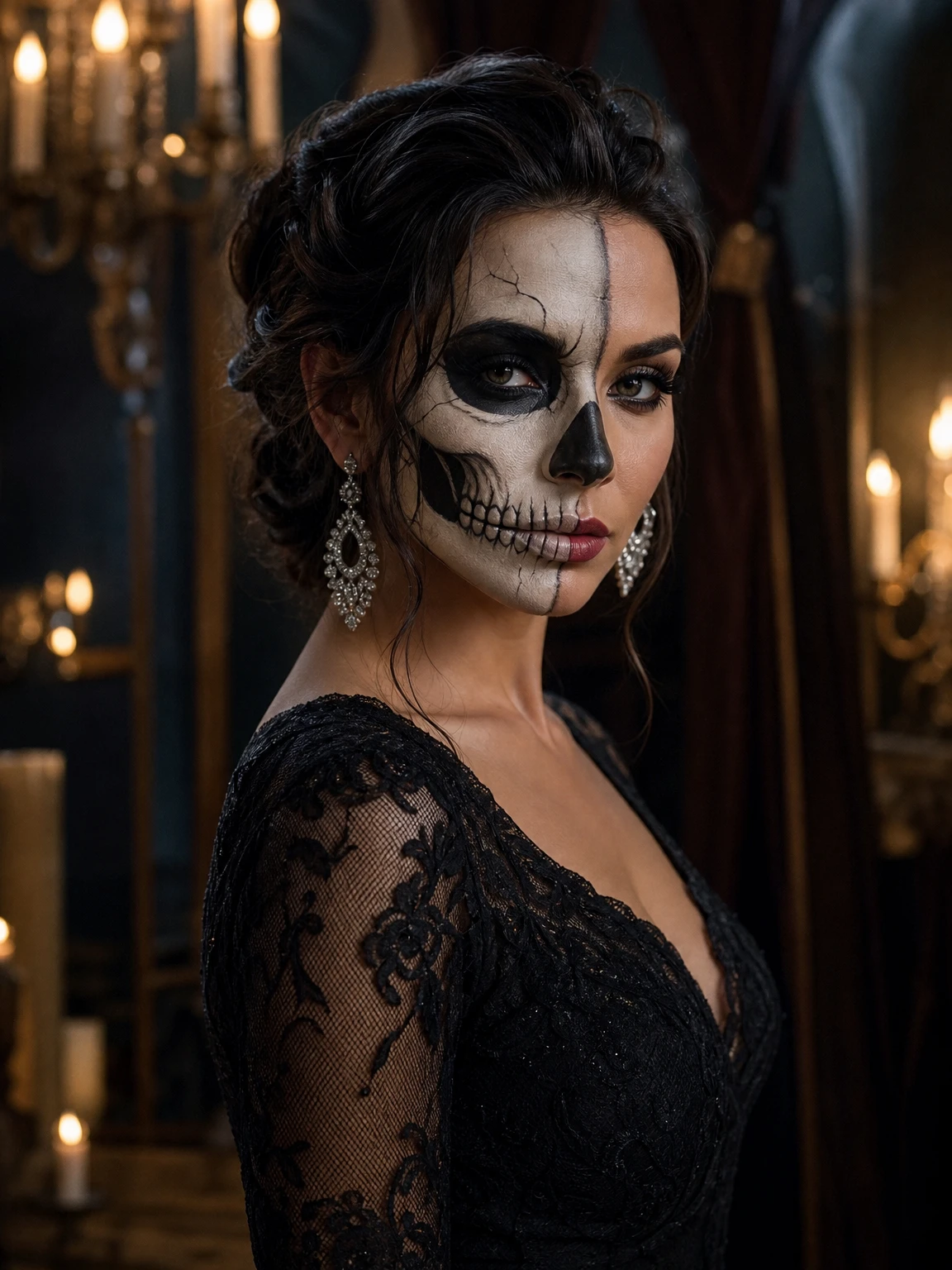
Skeleton Glam: elegant ivory-and-charcoal skeleton makeup, a black
lace evening dress and silver earrings.
If you are using this site, you do not need to paste these. Choosing the look in the studio builds the same prompt. The lines are here so you can see the structure and reuse it elsewhere.
What the video prompt cannot do
It cannot guarantee a perfect likeness. It cannot add a costume that is not described. It cannot make a group photo into one person. It cannot recover a face that is too small or too dark. It cannot add a licensed song, and it should not be asked to reproduce a real brand logo or a film-accurate character.
It also cannot fix a bad still. If the portrait already has extra fingers or a face that does not look like you, the video will inherit the problem and make it move.
A practical checklist before you render
- One adult, one photo, face clear.
- The costume has a readable silhouette.
- The hair decision is explicit.
- The prompt says "one continuous take" and "same camera move".
- The avoid list names identity, extra people, hands, text and watermarks.
- You have generated a still first, or you accept the higher cost of iterating on video.
Price and delivery
A 480p walk is 10 credits; a 1080p walk is 30. New accounts get 10 welcome credits, enough for one 480p clip. The output is a silent, watermark-free MP4. A failed render returns its credits.
The clip is silent because the trend audio belongs to its owner. Add the sound inside TikTok, Reels or Shorts, where the credit stays attached.
The short version
A Halloween AI video prompt is not a spell. It is a shot list plus an identity contract. Name the camera, name the person, name the costume, name what must not change. Then check the still before you animate it.
Try the AI Halloween video generator with one of the four looks above, or copy a full prompt from the Halloween AI prompts page.