A Fergie Baby AI guide
Couple Costume AI Photo: Two Faces, One Portrait
 Fergie Baby AI Team
How to make a couple costume AI photo with two separate selfies, keep both faces straight, and avoid the extra-third-person problem.
Try it here
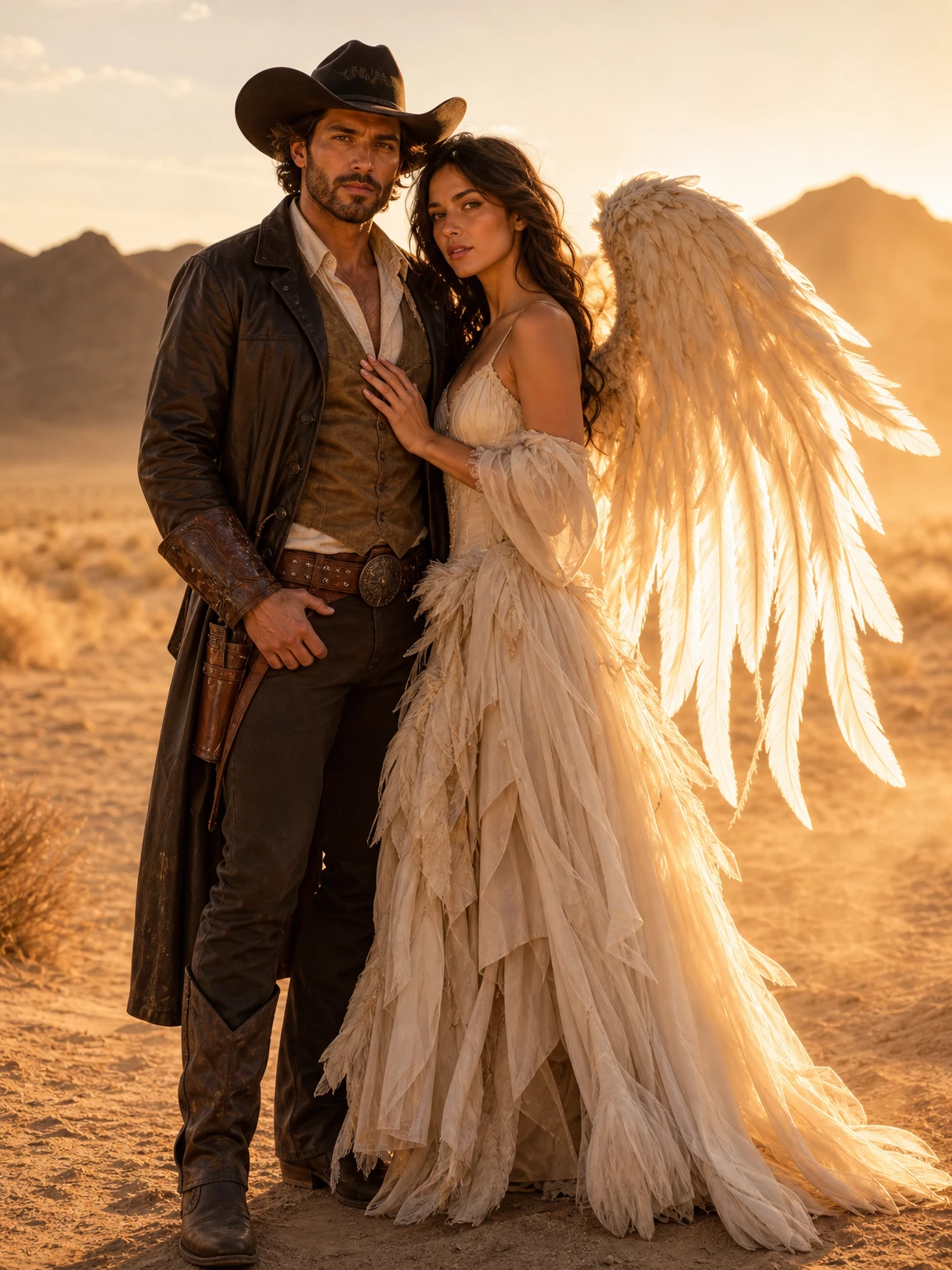
Cowboy & Angel, from two photos
The look this guide describes is the generator below. Make a still first, then decide whether you want the video.
Couple costume photos are a coordination problem before they are an AI problem. Two people, two schedules, one photographer, and a costume theme that has to work on both bodies. The AI version removes the photographer, but it adds a new problem: keeping two identities straight in one image.
This guide is about the two-photo workflow, the mistakes that cause face swaps, and why the couple look is a still rather than a video.
Why two photos are better than one
You might be tempted to upload a single photo of the couple together. It seems simpler. In practice, a single photo gives the model two faces at whatever size they happen to be, often at different angles and in different light. The model then has to isolate both faces, rebuild two costumes and compose a new scene from a low-information starting point.
Two separate photos give the model one clear face per person. It can read each identity at full size, then compose the pair. The result is more predictable, even though the input is two files instead of one.
The two-photo checklist
Use one photo per person. For each:
- Face clear, eyes visible, no sunglasses.
- Similar lighting. A bright window photo and a dark bar photo are hard to reconcile.
- Similar crop. Two head-and-shoulders portraits are easier than one close-up and one full-body shot.
- Natural expression. A neutral or slight smile composes better than a big laugh.
- No other people in either photo.
If one person has a photo that is much sharper than the other, the model will often make the sharper face more detailed and the softer face more generic. Match the quality as closely as you can.
The prompt: name the roles
The Cowboy & Angel preset names each person's role and adds two hard constraints: exactly two people, and no face swapping.
Use the two uploaded photos as references and create one coordinated Halloween
couple portrait. Preserve each person's recognizable facial identity, skin tone,
body proportions and natural anatomy. Dress person one as a polished cowboy with
a wide-brim hat, leather details and boots. Dress person two as an original angel
with layered ivory fabric and softly glowing feather wings. Place them together
in a golden-hour desert with warm dust in the air. Photorealistic editorial
fashion photography, consistent lighting across both faces and a coordinated
pose. Exactly two people. Do not swap faces, add a third person, distort hands,
add text, logos or watermarks.
The role labels matter. "Person one" and "person two" give the model a stable mapping between the reference photos and the costumes. Without them, the model may decide the cowboy hat belongs on the other face.
The extra-third-person problem
Image editors sometimes add a third person when they are asked to compose a couple. The cause is usually a vague count: "a couple in a desert" can become "two people plus a background figure". The fix is to say "exactly two people" and to avoid prompts that mention crowds, parties or "friends".
If a third person appears, do not keep rerunning the same prompt. Check the source photos first. A reflection, a person in the background or a hand at the edge of the frame can be enough to seed an extra body.
Face swaps and how to reduce them
A face swap is not a random bug. It happens when the model has two identities and an ambiguous assignment. The prompt's role labels are the main defense. Similar lighting and a clear face in both photos are the second.
If the swap persists:
- Crop each source photo closer to the face.
- Remove hats, glasses or hair that covers the face.
- Use two photos with the same head angle.
- Avoid describing the costumes in a way that implies one person is the "main" subject.
Why the couple look is image-only
The 12-second walk engine is built for one adult. A two-person walk would require the model to keep two identities, two gaits and two costumes consistent in every frame. That is a different problem from a still composition, and it is not what this engine was trained to do.
You can still make a pair of clips: generate one walk per person, then combine them in an editor. That is more work, but it is honest. The couple page does not pretend to offer a single two-person walk.
Cost and delivery
The couple portrait is 2 credits and arrives without a watermark. New accounts get 10 credits, enough for five attempts. A failed render returns its credits.
Both people must have agreed to the photo. Do not upload a stranger, a celebrity or a child. If you post the result, follow the platform's AI-label rules and do not imply that a brand or film endorsed it.
What to do with the portrait
The 3:4 composition works as a post, a story or a printed card. If you want a matching set, generate a solo portrait for each person with the same look family, then post the pair as a carousel. That gives you two strong images and one coordinated story, without asking a single render to do everything.
If one photo is much older
Old photos are not automatically unusable. A clear face from three years ago can still preserve identity, especially if the lighting is good and the expression is natural. The problem is mismatch: if one photo is a sharp recent portrait and the other is a soft photo from 2018, the model has to reconcile two different levels of detail. It usually makes the sharper face more specific and the softer face more generic.
There are three practical fixes. Use the older photo for the person whose face is clearer, and accept a slightly different age in the result. Crop both photos to the same head-and-shoulders framing. Or generate two separate solo portraits with the same look family and combine them in a layout, rather than asking one render to merge two very different sources.
Try the Cowboy & Angel look with two clear photos. If you want a different theme, the AI look library has single-person directions that can be adapted into a pair of portraits.